
Build a website for free in 2026 is easier than most people think. Whether you are a student, a small business owner, or just someone with a good idea, you do not need to spend money to get started online. Everything you need: a domain, hosting, templates, and a basic editor is available at zero cost if you know where to look.
This guide walks you through every step in simple, clear language. Even if you are in sixth grade and have never made a website before, you will understand exactly what to do by the end of this article.
Table of Contents
What Is a Free Website Builder?
A Free Website Builder is an online tool that lets you Build a Website for Free and publish it on the internet without paying anything upfront. These platforms provide a visual editor, ready-made page templates, and free hosting all bundled together in one place, making it easy for beginners learning How to Build a Website.

You simply sign up, choose a template that matches your style, add your text and images, and publish your site. That is it. No coding knowledge, no technical setup, and no monthly cost. Anyone can create a Website for Free in 2026 using these modern tools.
In 2026, free website builders are more powerful than ever. Even free plans now include mobile-friendly layouts, simple design tools, Free Website SEO settings, and built-in contact forms — features that used to cost hundreds of dollars only a few years ago.
Why Should You Build a Website in 2026?

You might be wondering, does having a website still matter when social media is everywhere? The answer is yes, more than ever.
Social media platforms can delete your account, change their rules, or lose popularity overnight. A website is something you own. Nobody can take it away from you. It is your own space on the internet where people can find you, read about you, and contact you.
Here are a few real reasons people build websites today:
1) To show their work, designers, writers, and photographers use websites as a portfolio.
2) To sell products even small home-based sellers use free websites to take orders.
3) To grow a blog writing about a topic you love can eventually bring in real income.
4) To share information teachers, doctors, and community groups all use websites to reach people.
5) To build a personal brand employers and clients Google your name. A website makes a strong first impression.
Which Free Website Builders Are Best in 2026?
There are many options out there, and each one works a little differently. Here is a simple breakdown of the most popular ones right now:
1) WordPress.com
WordPress powers about 43 percent of all websites on the internet. The free plan gives you a basic site with a WordPress subdomain. It is perfect for blogs and simple informational sites. If you ever want to upgrade later, WordPress makes it easy.
2) Wix
Wix is known for its drag-and-drop editor. You can move anything text, images, buttons anywhere on the page. It feels like designing a poster, not coding a website. The free plan includes Wix branding in the URL, but everything else works well.
3) Google Sites
Google Sites is the simplest option on this list. It connects directly to your Google account and is great for school projects, community pages, or basic business information. It is not fancy, but it loads fast and is very easy to use.
4) Weebly
Weebly is owned by Square and works great for small shops. The free plan lets you add products and accept payments, which is unusual for a free tool.
5) Notion
Notion is not a traditional website builder, but in 2026 many people will use it to create clean, simple public pages for their portfolios and personal sites. It is very minimal and loads extremely fast.

How to Build a Website for Free Step by Step
Here is exactly what you need to do, in the right order. Follow these steps and you will have a working website by the end of the day.
Step 1) Choose Your Platform
Pick one of the builders listed above based on your goal. If you want a blog, go with WordPress.com. If you want a visual portfolio, go with Wix. If you want something quick and simple, use Google Sites.
Step 2) Create a Free Account
Go to the website of the builder you chose and sign up with your email. Most platforms let you sign up using a Google account, which makes it even faster.
Step 3) Pick a Template
All free builders come with dozens of ready-made page designs called templates. Browse through them and pick one that fits your style. Do not overthink this step, you can change it later.
Step 4) Add Your Content
Replace the example text and images in the template with your own. Write your name, describe what your website is about, and add a photo if you have one. Keep your writing simple and honest people connect with real words, not complicated ones.
Step 5) Set Up Basic SEO
Every good free builder has a settings section for SEO. Add a page title and a short description that includes the main topic of your website. This helps Google understand what your site is about and show it to the right people.
Step 6) Preview and Publish
Before you hit publish, preview your site on both desktop and mobile views. Make sure everything looks right. When you are happy with it, click publish. Your website is now live on the internet.
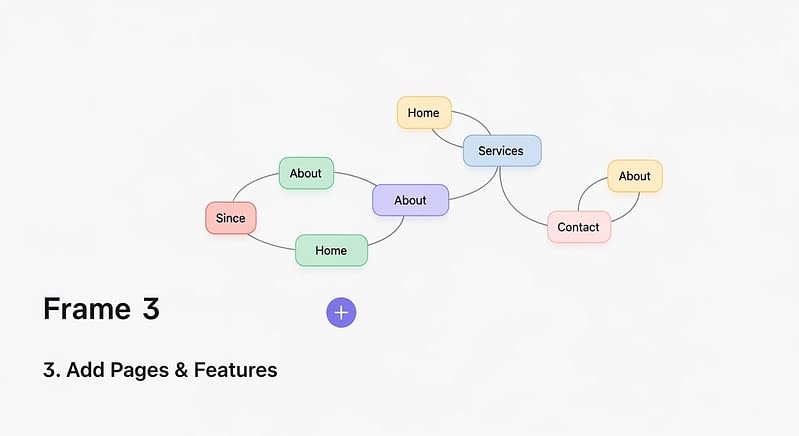
How Do You Make a Free Website Look Professional?
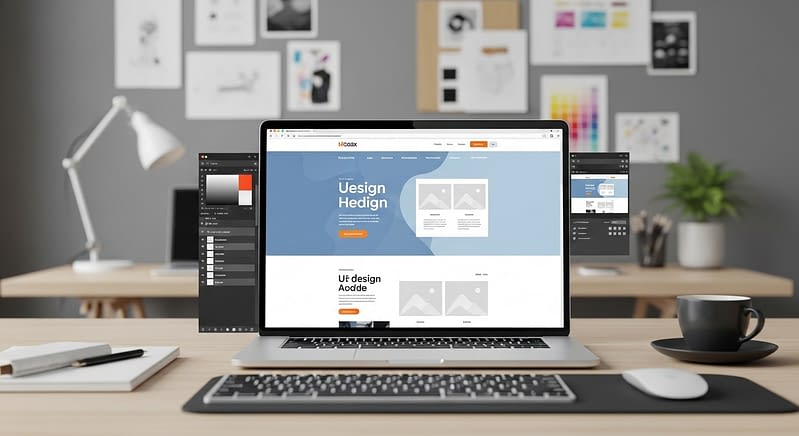
A lot of free websites look amateurish because people skip a few simple things. Here is what separates a good-looking free website from a bad one:
1) Use only one or two fonts. Mixing too many fonts looks messy and unprofessional.
2) Keep your color palette simple. Two to three colors maximum. Stick to them everywhere.
3) Use high-quality images. Free image sites like Unsplash and Pexels have thousands of professional photos you can use at no cost.
4) Write clearly and in short paragraphs. Long walls of text drive people away. Keep paragraphs to three or four sentences.
5) Add a clear headline on your homepage. Tell visitors exactly what your site is about in one sentence.
6) Include a contact page or a simple contact form. People want to be able to reach you easily.
What Are the Limitations of a Free Website?
Free plans are great for getting started, but they do come with some limitations you should know about upfront so you are not surprised later.
- You will usually have the platform’s branding in your URL for example, yoursite.wix.com instead of yoursite.com.
- Storage space is limited. You cannot upload huge amounts of images or videos on a free plan.
- You may see ads on your site that you cannot remove unless you upgrade.
- Advanced features like custom forms, e-commerce, and analytics often require a paid plan.
- Customer support on free plans is usually limited to community forums or help articles.
None of these limitations are deal-breakers when you are just starting out. But as your website grows, you may eventually want to invest in a basic paid plan.
How Does SEO Work for a Free Website?
SEO stands for Search Engine Optimization. It is the process of making your website easy for Google to find and rank. Even on a free website, you can do basic SEO that makes a real difference.
Here are the most important things to do:
1) Write a clear page title that includes your main topic. For example: ‘Free Cooking Recipes for Beginners’ is better than just ‘My Website.’
2) Write a meta description of a short two-sentence summary of what your page is about. Most free builders have a field for this in settings.
3) Use headings properly. Your main title should be H1, your sections should be H2, and sub-sections should be H3. This helps Google read your page structure.
4) Write content that actually answers questions people search for. Think about what your visitor is looking for and give them that answer clearly.
5) Link between your pages. If you mention something in one article, link to another page on your site that talks about it more. This keeps visitors on your site longer.
Frequently Asked Questions
Can I really build a website completely for free?
Yes, completely. Platforms like WordPress.com, Wix, and Google Sites let you sign up, build, and publish a website without entering any payment information. The free plan has limitations, but it works perfectly for a starter site.
Do I need to know how to code?
No, you do not. All modern free website builders use visual editors where you click, drag, and type. You never have to write a single line of code unless you want to.
How long does it take to build a free website?
A basic website with a homepage, an about page, and a contact page can be done in two to three hours. If you already have your content ready, your text and images could take even less.
Will my free website show up on Google?
It can, but it takes time. Google needs to discover and index your site first, which can take a few days to a few weeks. Once indexed, your site can appear in search results. Good content and proper SEO settings help speed this up.
Is a free website secure?
Generally yes. Reputable builders like Wix and WordPress.com handle security, updates, and backups for you automatically. You do not need to worry about these things on a managed free platform.
Final Thoughts
Getting started is the hardest part. Most people wait because they think building a website is complicated or expensive. But in 2026, neither of those things is true.
Pick a platform, spend an afternoon setting it up, and publish something. It does not have to be perfect. You can improve it over time. The important thing is to get your name and your ideas on the internet and you can do that today, for free.
If a sixth grader can follow these steps and have a live website by dinner time, so can you.
Related Posts:
- How AI Is Changing Jobs: The Truth About the Future of Work (2026)
- Best ChatGPT Alternatives in 2026 Which AI Chatbot Is Right for You?
- AI in the Workplace 2026: The Ultimate Guide to Generative AI Tools, Business Adoption & the Future of Work
- Future of Artificial Intelligence 2026: Revolutionary Agentic AI, Generative AI, and Technology Advancements
- Top Latest Technology Trends 2026 You Must Know
- best-tech-gadgets-2026
- How AI is Changing Jobs: The Future of Work in the Age of Artificial Intelligence
- Artificial Intelligence News 2026 : OpenAI, Google, Meta, and Apple Reshape the Tech Industry








4 Responses