
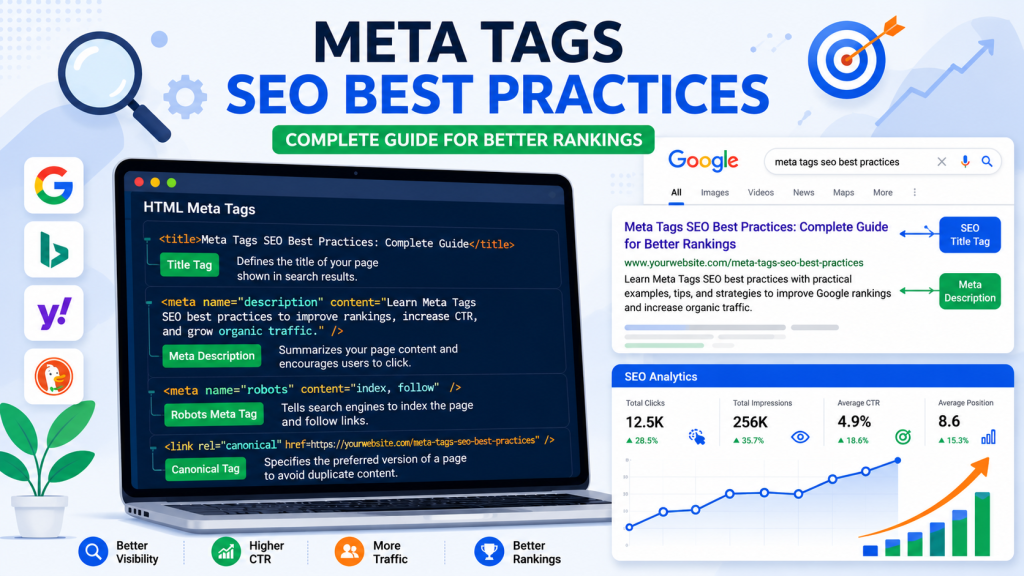
Meta Tags SEO Best Practices: Complete Guide for Better Rankings is essential reading for anyone who wants to improve their website’s visibility in Google Search. Meta tags may seem like small pieces of HTML code, but they have a significant impact on how search engines understand your pages and how users interact with your search listings.
When someone searches on Google, the first things they usually notice are the page title and description. These elements are generated from your meta tags. A clear, keyword-focused title and an engaging meta description can encourage users to click on your website instead of your competitors.
Many website owners spend hours writing blog posts but forget to optimize their title tags, meta descriptions, and other important SEO meta tags. As a result, their content may not perform as well as it could, even if it provides valuable information.
Following proven Meta Tags Best Practices helps search engines understand your content more effectively while improving the overall user experience. It also supports other SEO efforts such as content optimization, technical SEO, and local SEO strategies.
Whether you run a local business, an eCommerce store, or a personal blog, understanding how meta tags work can help you attract more qualified visitors and improve long-term search performance.
Table of Contents
- What Are Meta Tags?
- Why Meta Tags Matter for SEO
- Benefits of Optimized Meta Tags
- Types of SEO Meta Tags
- How Meta Tags Work
- Step-by-Step Optimization Guide
- Best Practices
- Common Mistakes
- Expert Tips
- Case Study
- Comparison Table
- Pros and Cons
- FAQs
- Conclusion
What Are Meta Tags?
Meta tags are snippets of HTML code placed inside the <head> section of a webpage. They provide information about your page to search engines, browsers, and social media platforms.
Most meta tags are invisible to website visitors, but they help search engines understand:
- What your page is about
- Whether the page should be indexed
- Which page is the original version
- How your page appears on Google
- How your page looks when shared on social media
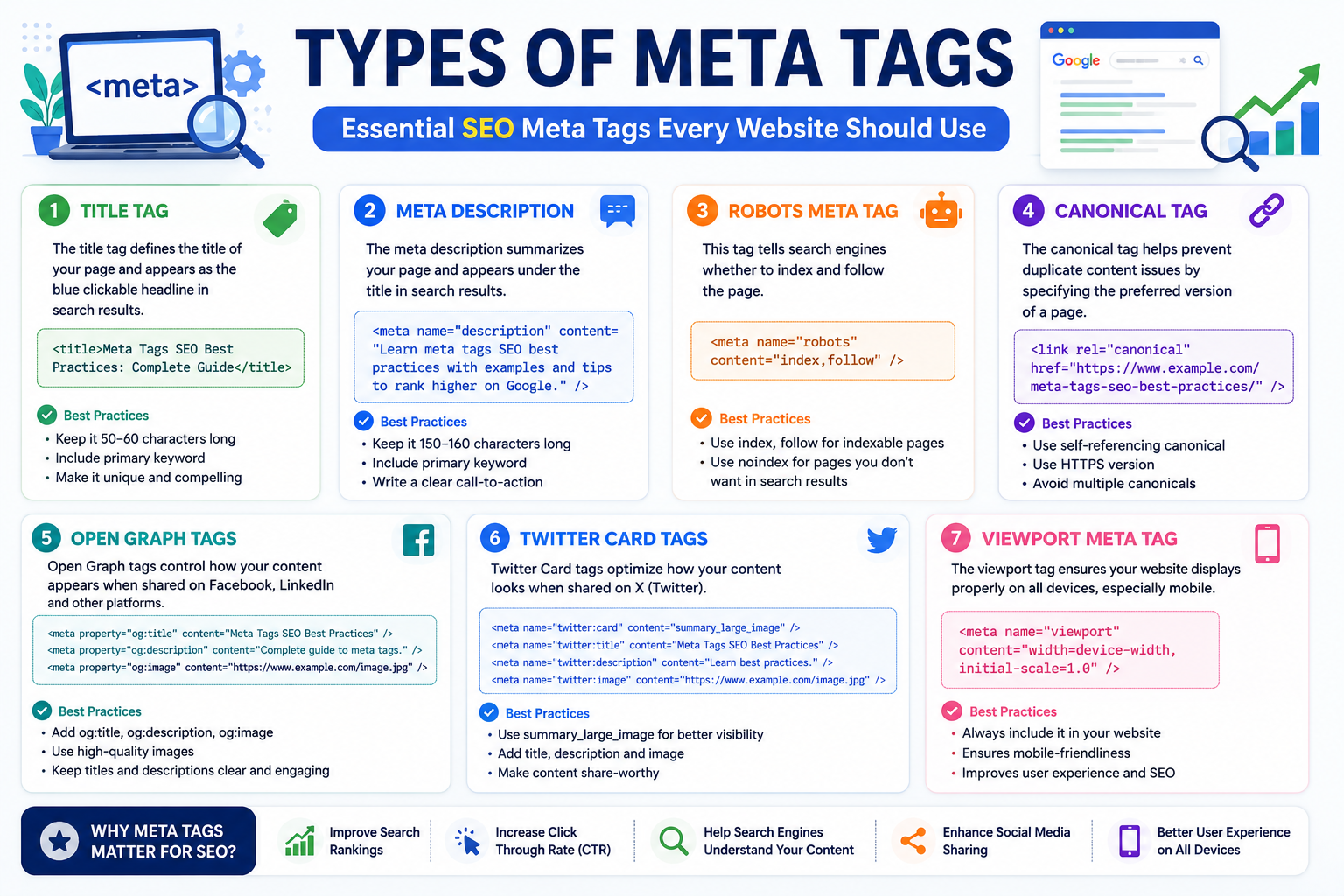
Common SEO meta tags include:
- Title Tag
- Meta Description
- Robots Meta Tag
- Canonical Tag
- Viewport Tag
- Open Graph Meta Tags
- Twitter Card Tags
Why Are Meta Tags Important?
Meta tags are one of the foundations of on-page SEO. While they are not the only ranking factor, they help search engines interpret your content correctly and influence how users interact with your search result.
Properly optimized meta tags can:
- Improve search visibility
- Increase click-through rates (CTR)
- Help Google understand page relevance
- Prevent duplicate content issues
- Improve mobile usability
- Enhance social media previews
For businesses offering Local SEO Services, optimized title tags and descriptions that include local keywords can improve visibility in location-based searches.
Benefits of Meta Tags
1. Better Search Rankings
Clear, relevant title tags help search engines understand the page topic.
2. Higher Click-Through Rate
An engaging title and description encourage users to choose your page over competing results.
3. Improved User Experience
Users immediately understand what your page offers before clicking.
4. Better Social Sharing
Open Graph Meta Tags and Twitter Cards create attractive previews when your content is shared.
5. Easier Search Engine Crawling
Robots Meta Tags help search engines crawl and index pages correctly.
6. Stronger Local SEO
Businesses targeting local customers can naturally include city or service keywords in their SEO title tags and descriptions.
Types of SEO Meta Tags
1. Title Tag
The title tag is one of the most important on-page SEO elements.
Best Practices
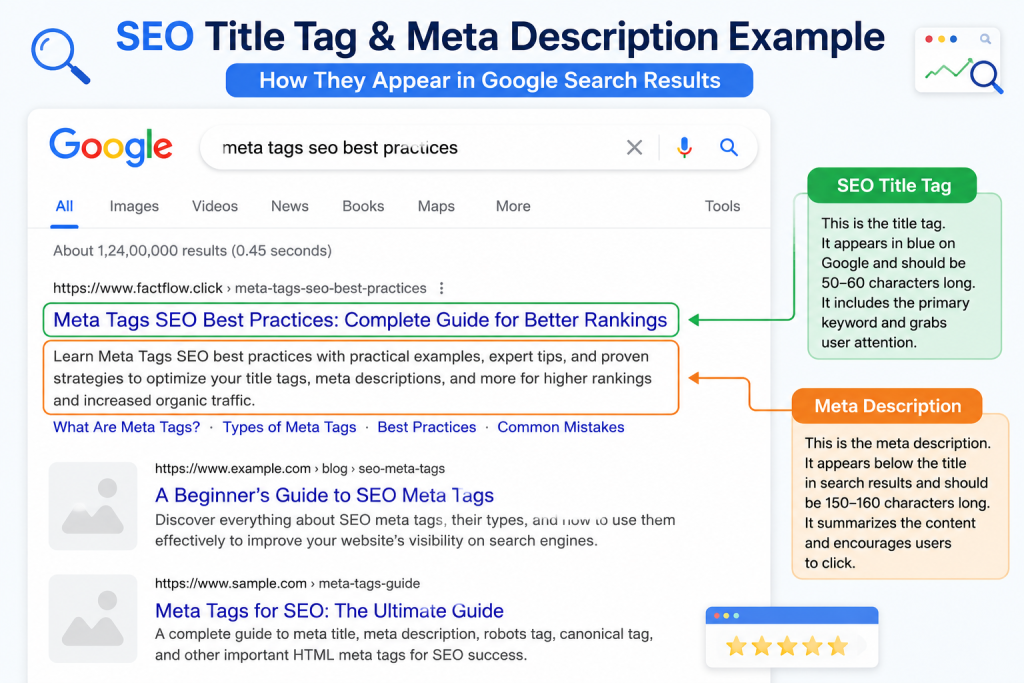
- Keep it between 50–60 characters.
- Include your primary keyword near the beginning.
- Make it unique for every page.
- Write for both users and search engines.
Example
Meta Tags SEO Best Practices | Complete Guide2. Meta Description
The meta description provides a short summary of your page.
Although it isn’t a direct ranking factor, it strongly influences click-through rates.
Best Practices
- Keep it between 150–160 characters.
- Include the focus keyword naturally.
- Add a compelling call-to-action.
- Avoid duplicate descriptions.
3. Robots Meta Tags
Robots tags tell search engines whether they should index and follow a page.
Example:
<meta name="robots" content="index,follow">4. Canonical Tag
Canonical tags prevent duplicate content by telling Google which version of a page is the preferred version.
5. Viewport Meta Tag
The viewport tag ensures your website displays correctly on mobile devices.
Example:
<meta name="viewport" content="width=device-width, initial-scale=1">6. Open Graph Meta Tags
Open Graph tags improve how your content appears on Facebook, LinkedIn, and other social media platforms.
7. Twitter Card Tags
Twitter Card tags create visually appealing previews when your page is shared on X (formerly Twitter).
How Meta Tags Work
When Google’s crawler visits your webpage, it scans the HTML code and reads the information inside the <head> section.
These tags help Google determine:
- Page topic
- Search result title
- Search result description
- Canonical version
- Crawl instructions
- Social media preview information
Although Google sometimes rewrites titles or descriptions based on user queries, well-optimized meta tags still provide valuable signals and often influence how your page is displayed.
Step-by-Step Guide to Optimizing Meta Tags
Step 1: Perform Keyword Research
Choose one primary keyword and several related keywords.
Example:
- Meta Tags SEO Best Practices
- SEO Meta Tags
- Meta Description Best Practices
- Meta Title Best Practices
Step 2: Write a Compelling Title Tag
Include your primary keyword naturally and keep the title under 60 characters.
Step 3: Create a Persuasive Meta Description
Write a concise summary that explains the value of the page and encourages clicks.
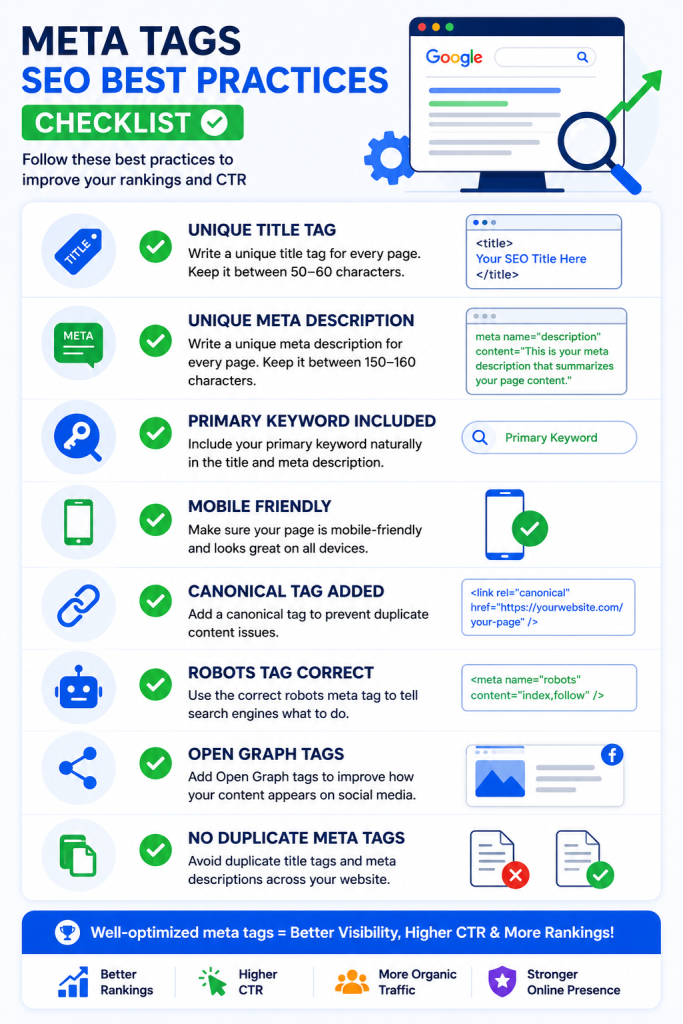
Step 4: Avoid Duplicate Meta Tags
Every page should have a unique title and description.
Step 5: Optimize for Mobile
Preview how your title and description appear on mobile devices to ensure they are not truncated.





One Response